Showing posts with label periscope. Show all posts

Wednesday, 11 January 2017

Live Video and Marketing: Where the Industry Is Heading

Interested in using live video for business?
Have you considered creating a live video show?
To find out what live video can do for your business, I interview Brian Fanzo.

More About This Show

The Social Media Marketing podcast is an on-demand talk radio show from Social Media Examiner. It’s designed to help busy marketers and business owners discover what works with social media marketing.
In this episode, I interview Brian Fanzo, a tech evangelist who specializes in live video. He’s the founder of iSocialFanz and host of the FOMOFanz podcast.
Brian explores live video, where it’s headed, and how it can help your business.
You’ll discover whether to use Facebook Live or Periscope if you’re just getting started.
Share your feedback, read the show notes, and get the links mentioned in this episode below.

Listen Now

Here are some of the things you’ll discover in this show:

Live Video and Marketing

What Live Video Means for Business
Whether yours is a small business, a brick-and-mortar store, or an ecommerce company, you need to shrink the distance between yourself and your customer, Brian explains. Live video is much more than a marketing play because it shrinks that distance by humanizing your brand and business.
Live video is also the gateway to technologies such as augmented reality (AR) and virtual reality (VR), which Brian believes will be huge by 2020. To embrace AR and VR, he says, companies and brands will need to have a live video strategy already in place.
He says today’s consumers want you to convince them that you can be trusted, that you’re a resource, are invested in them, and can understand them. They don’t want to be marketed or sold to; they want to engage and have a conversation with you. Businesses need to spend time building rapport, a relationship, and trust with their audience, and live video is a great vehicle for that.
Live video enables you and your business to break down the barrier between you and your audience.
Break down the wall between business and consumer with live video.
With regard to building trust, Brian believes the most valuable statement anyone can make on live video is, “I don’t know.” If a brand admits they don’t know something on live video, it adds validity to what they do know. (When you’re stumped, you can also ask audience members to send you a message on Twitter or Facebook, and say you’ll have your product manager get back to them.)
Listen to the show to hear more about the strategy behind using live video to break down barriers with your audience.
Getting Started With Live Video
Brian says that according to Cisco, 79% of Internet traffic in 2020 will be video. Nowhere did anyone say that’s going to be great video, good video, or live video, Brian continues. However, he believes most brands are thinking about video.
Many people think live video is scary because they picture themselves on the video. Brian has to remind them that the best live videos are often made when you’re celebrating customers and employees. And if your live video brings people access they can’t get anywhere else, the camera doesn’t even need to be on you.
For example, say you use live video to interview a client, a customer, or a celebrity while they’re in the office. As the person behind the camera, you can watch the comments for questions and decide which are important enough to ask the guest. With these kinds of live videos, all of the scary elements of being on air are taken away.
Listen to the show to discover my process for doing live videos.
Innovative Examples of Live Video
Brian says Cisco has done an amazing job with their We Are Cisco campaign. Employees in different offices are trusted to take over the company’s social media accounts, including Snapchat and Instagram, to share their point of view.
Not only does the campaign celebrate Cisco’s employees, it’s also a great recruiting tool. The company doesn’t have to convince job applicants that they trust their employees; the proof is visible every time they let their employees go live on social media. We Are Cisco is an amazing movement as a whole, Brian adds, and they integrated live video nicely across the board.
Another great example is Al Roker’s Roker Media. They’re launching multiple programs on Facebook Live, scheduled at a certain day and time, like you would traditionally see on TV. And because the shows are on Facebook Live, people can subscribe on Facebook.
Brian recalls that in the past, a small- or medium-sized business had to rent a studio to do promotional videos. Now anyone can do videos, ad hoc. To take it a step further, businesses can create fun programming around different things related their brand or passion. Brian says Dunkin’ Donuts is one of his favorites at this. They use live video to give tours of different locations and take fans behind the scenes when they’re training new employees.
Dunkin Donuts uses Facebook Live video to take fans behind the scenes.
Dunkin’ Donuts takes fans behind the scenes via Facebook Live.
Although live video gives fans access to places, people, products, and experiences they can’t get anywhere else, Brian doesn’t think it replaces other content marketing. He believes live video amplifies other content. The food and fitness spaces might be the most exciting arenas for really pushing this forward, Brian adds.
Food Network is even taking things a step further by going onto Twitch, a gaming live-streaming platform focused on raw engagement and giving viewers just as much access as the people in the room.
Listen to the show to hear more about Twitch and who else is using the platform.
Short Videos Versus Shows
Brian breaks down live video into two different types of content and two different strategies: real-time live video and strategic live video.
Real time isn’t live streaming every day on everything that’s going on, he explains. It’s more of a pop-up show that breaks into the news feed to let you share an experience as it happens. Real-time live video can be used strategically at events or to share breaking news. However, the businesses and brands that really benefit are those that train their employees how to use the live video platforms.
For example, when the Pope visited the White House, a White House social media manager took out her phone and shot a Facebook Live video of Pope Francis walking down the steps off the plane. The cameras from news outlets were 500 yards from the airplane and didn’t have the same quality access.
When discussing strategic live video, Brian says the key is consistency. Since there are so many online distractions and notifications, not many people are waiting around for a live video push notification.
It’s better if your fans can put your show on their calendar or make a note of the time when you’re broadcasting live. Commit to doing a show at a certain time every week and you’ll build momentum, grow your numbers, drive conversation, and increase replay watches.
For example, every Monday at 4 PM, Brian records his podcast live and also does a live video broadcast. Because he’s consistent, his fans know they don’t have to tune in every week, but if they’re around on a Monday at 4 PM, they can tune in.
Listen to the show to hear more about our Friday morning Social Media Marketing Talk Show.
The Best Platform to Get Started
Brian says Facebook Live and Periscope are the two big players in live video today, especially for social media marketers.
Brian says to think about live video like email marketing, where you have to do two things: grow your email list and nurture your existing list. Periscope enables you to grow your list because every time you go live, the broadcast is pushed to Twitter. Facebook Live nurtures your existing list because it notifies people who engage with and like your page when you broadcast.
Choose which platform to live stream on by looking at their differences.
Choose which platform to live-stream on by looking at their differences.
There are also differences in the on-platform behaviors of consumers to consider. When someone scrolls the Facebook feed, live video is a small element of what they may be seeking. Because the Periscope app is completely separate from Twitter, people who open the app are specifically looking for live video content.
The key is to look at the platforms and decide what success looks like for you, Brian says. Also, don’t be afraid to invest in one and use the other to complement or amplify the work you’re already doing.
Listen to the show to hear my thoughts on these platforms.
Periscope Producer
People watching content on Facebook have probably seen well-produced broadcasts from the White House or CNN that use a tricaster to put the TV experience inside the Facebook feed.
In similar fashion, Periscope Producer allows you to broadcast through your Periscope account using a third-party tricaster like Wirecast, Open Broadcaster Software (OBS), or Switcher Studio. This allows you to go live onto the platform and integrate things like a better-quality camera, lower thirds, and a slider graphic at the beginning of your broadcast.
Periscope Producer allows for higher production value in your videos.
Periscope Producer enables you to use a tricaster to integrate more professional tools for higher production quality.
Another feature added to Periscope is the ability to log in and comment on broadcasts from a computer. Previously, Periscope allowed people to view content from desktop, but didn’t allow comments or shares outside the mobile app. Facebook has always allowed the browser user to comment and engage, and now Periscope allows it.
Now, when Brian builds strategies, he builds them for Periscope mobile and desktop, as well as Facebook mobile and desktop.
Listen to the show to learn more about Periscope Producer options.
Listen to the show!
Audio Player


What do you think? What are your thoughts on live video and marketing? Please leave your comments below.


Monday, 5 December 2016

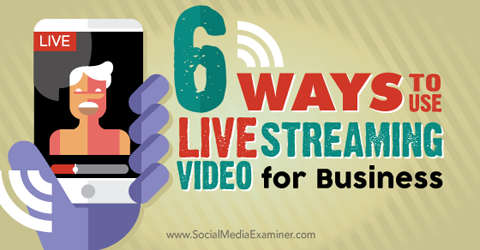
6 Ways to Use Live Streaming Video for Business

Looking for ways to boost engagement?
Have you considered live mobile streaming apps, like Meerkat and Periscope?
Live streaming video is a great way to interact with your audience in real time.
In this article you’ll discover six ways live streaming video helps you connect with your audience and increase engagement.
use live stream video for business
Discover six ways to use live stream video for business.

Listen to this article:

#1: Share Live Events

Sharing live events with your audience can make them feel more connected to your company or industry. The key here is not just showing the event, but also letting users be a part of it.
Create stories for your viewers. If you just show what’s happening in one location, viewers are likely to get bored quickly and disconnect. Instead, walk around to show them the event. Be your audience’s eyes and ears.
Keep an eye on their comments too, and when possible, reply to them. Ask viewers what part of the event they want to see and whom they’d like to meet.
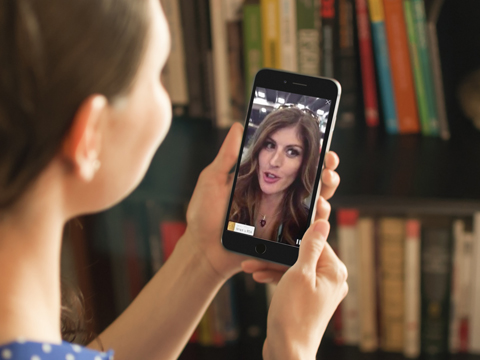
During the RSA Conference in San Francisco, Alicia Mae from SecureNinja broadcasted part of the event to her audience. In this video she applies those principles. She asks viewers what they’d like to see while she walks around and speaks to the camera.
amae livestream placeit image
Interact with viewers to keep them engaged. Image: Placeit.
An important part of many events is the release or announcement of news and products. If you have authorization from event organizers, show these unique moments to your audience.

#2: Host Interviews

Brands and companies are centered on people–and in fact, “people” is one of the seven Ps of the extended marketing mix. However, companies sometimes forget this and become too promotional.
Do short live interviews with employees or clients to increase engagement. These interviews not only show the human side of your company, but also offer personal ideas and opinions.
The Verge is an online magazine that specializes in technology, science and culture. They run a daily event on Periscope called “Let’s Discuss,” where they have a discussion about something they’ve covered on their website. You can see a sample in this video.
verge live stream video image
Interviewing colleagues and clients can increase engagement.
Don’t promote your brand too much during these sessions. Provide fresh content to your viewers while keeping the intrinsic aspect of your business as part of the video.
Mashable streams discussions and events about the same topics, in the same style, that you’d normally find on their website. Consistency is key to maintaining an engaged audience.
mashable live stream video image
Host an open discussion about a specific topic and ask viewers for their opinions.
Remember to acknowledge your audience and reply to their comments. If you’re streaming an open discussion, ask viewers for their opinions. If it’s an interview, let your audience ask questions and then select the most interesting ones.

#3: Show How You Create a Product

Your audience typically can’t see how your products or services are created. With live streaming video, you can show them what it takes to go from concept to product completion. This is a great way to give your audience a glimpse of what is involved in building your brand.
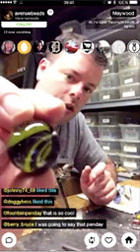
Avenue Beads is a Chicago-based company that produces glass jewelry and artwork. Their pieces require a lot of work and experience to create, so they used live video to give viewers a peek at how they produce these items.
avenue beads live stream video image
Show your audience how you make your products.
You can apply this same principle to services as well. For example, an insurance company can show viewers the customer service department where employees answer calls.
Remember that users see only the final result from your company–your product or service. Any step in between is a story of value and likely will increase engagement with your brand.

#4: Give a Behind-the-Scenes Look

Another way to use live streaming is to show users behind the scenes of something they normally wouldn’t have access to.
In this video from NBC News Los Angeles, co-anchor Adrian Arambulo takes the audience for a quick stroll around the studio before the 11 pm news. Adrian reads comments and responds to them while showing users different areas of the TV studio, from the coffee machine to the anchor desk.
nbc live stream video image
Show users behind the scenes of your company.
Keep in mind that you can go beyond just your company location. Anything that is typically off-limits–or provides a different point of view–will interest many users.
Mercedes-Benz makes their audience part of a photo session for their S-Class model. All of the images are then uploaded to their online channels under the hashtag #MBEP15, which gives users an idea of what happens on both sides of the camera.
Showing how content is produced is a great way to engage with your audience.
mercedes live stream video image
Go beyond just your company location when taking viewers behind the scenes.
You can enhance this type of stream by involving viewers in the session. Ask for their opinions or reply to some of their comments.

#5: Conduct Training

Most people are avid learners if the content is interesting to them. Use this to your advantage by becoming your audience’s go-to reference for a particular topic.
Live streaming from mobile is obviously limited when compared to desktop, because you can’t share your screen and include additional content with the stream. However, this doesn’t have to be a roadblock for live streaming training sessions. After all, one of the reasons why Meerkat and Periscope are growing so quickly is their mobility.
Use a small tripod to hold your phone and talk to the camera while gesturing with your hands. If you need to show a specific detail, simply grab the phone and show a closeup.
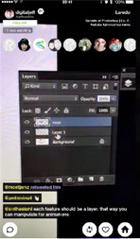
Digital Republic, a creative and photography studio, uses this approach to deliver training sessions on Photoshop, photography and visual content. You can see an example in this video.
digital republic live stream video image
The lack of screen sharing isn’t a problem for this broadcaster. When he needs to show certain details, he shows a closeup.
This technique may seem amateur, but an informal touch typically produces more engagement among viewers. Many perceive this type of stream as more genuine than a scripted one.
Don’t think of live video training as a session where you lead your audience step-by-step through a process. You can simply discuss a topic you’re knowledgeable about and let viewers ask you questions about it.
This is what Tablo Publishing does in this clip where they talk about ebooks and online publishing. You can see that their approach is very relaxed.
tablo publishing live stream video image
Use a relaxed approach to connect with your audience.
The key to training is repetition and interaction. Make your sessions ongoing by scheduling them daily or weekly.
Scheduling content helps users remember when your live streaming session airs.
Remember to allow time for viewers to ask questions, or simply answer questions during the broadcast.

#6: Host Q&A Sessions

Organize sessions where you let the audience ask you about their concerns or areas of interest. This is a great way to increase engagement because you’re showing people that you care about their thoughts and opinions.
Acknowledge questions that are interesting and can provide value to your viewers. Mention the name of the user asking the question to further increase engagement. If you get comments from trolls or abusive users, simply ignore them.
In this video, Rene and Casey Nezhoda from Bargain Hunters Thrift Store are hosting a Q&A session. They try to answer as many questions as possible about how they run their business.
bargain hunters live stream video image
Q and A sessions are a great way to connect with your audience.
They ignore silly comments, but answer questions that are a bit more delicate (such as questions about their political views).
Selecting a specific topic for the Q&A–rather than letting users ask random questions–is a better way to increase engagement. Plus it helps you filter questions and select only the most interesting.
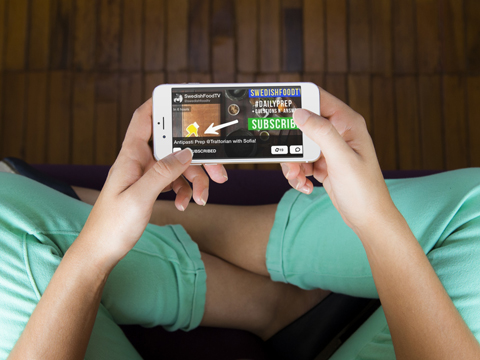
SwedishFoodTV has found a great way to connect with their audience using live streaming video. They broadcast recipes live and have Q&A sessions where viewers can ask questions related to the dish of the day.
They also take advantage of Meerkat’s content-scheduling option by creating custom images for upcoming streams with a call to action pointing to the Subscribe box. Users who subscribe to a stream receive a notification on their smartphones when the event starts.
Note that SwedishFoodTV also uses a specific hashtag for the stream.
amae livestream placeit image
On Meerkat, asking users to subscribe to your stream will remind them when your show is live. Image: Placeit.
Live Streaming: What Behaviors Drive Engagement
The key to successful live streaming videos is understanding what behaviors drive engagement:
  • Curiosity: Human beings are curious by nature and eager to discover new things. Live streaming shows the audience content that they may not otherwise see.
  • Desire for recognition: Being recognized is important to many people. Viewers of live streams are not anonymous, and the broadcaster can call individuals by name (or user ID).
  • Sense of belonging: Due to their limited duration, live streaming videos usually don’t get thousands of viewers simultaneously. Seeing the number (and IDs) of users subscribed to a stream makes viewers feel connected to a group.
  • Control: Live streaming allows users to interact and be part of the show. Their comments can affect the broadcast, and the broadcaster may respond to them.
  • Exclusivity: The content of a live streaming video is unique in that only those connected can interact with it.
Conclusion
Live streaming video offers seemingly endless possibilities for connecting with your audience. Keep in mind that you can combine some of these ideas to create something unique. Run different sessions to find what resonates best with your audience.
When broadcasting your video, be mindful of any copyright issues and user privacy. When approaching individuals, let them know they’re on a live video stream, and if they don’t want to participate, respect their decision.

What do you think? Have you tried Meerkat or Periscope for live streaming? What strategies do you use to create live streaming videos? What is your experience as a viewer? Please share your thoughts in the comments below.